Getting Started
Important settings to change on day one of account creation
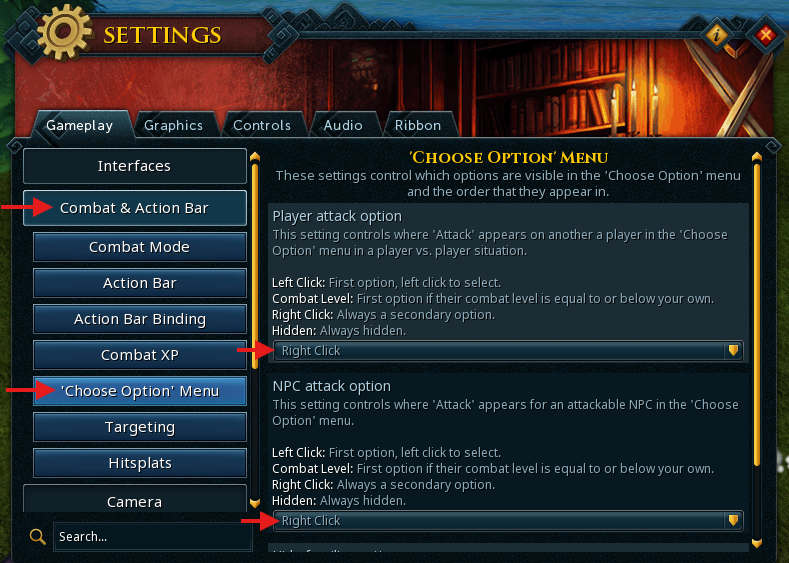
NPC Attack Options
Prevents accidentally attacking NPCs and wasting clicks.
Settings → Combat & Action Bar → Choose Option menu →
Hidden or Right click
Auto Retaliate
Make sure auto-retaliate is disabled (single sword icon) so you don't accidentally fight back and gain combat XP.

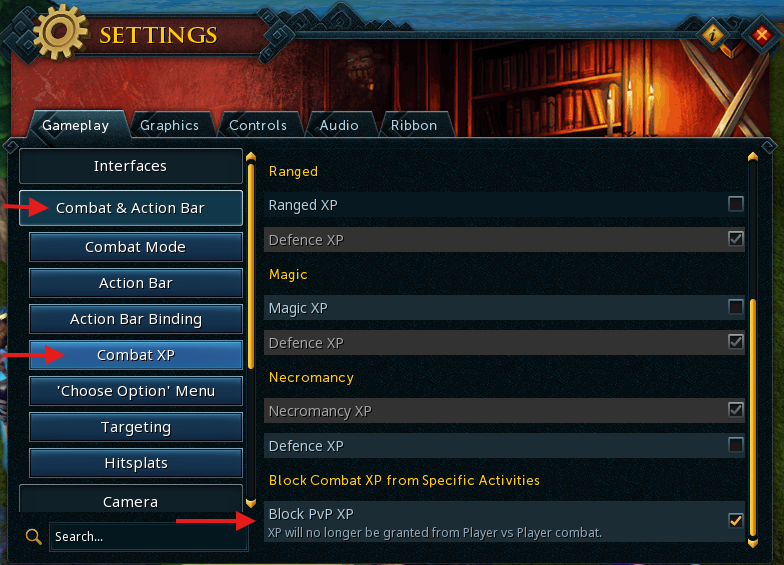
Block PVP XP
Prevents gaining XP from PvP situations.
Settings → Combat & Action Bar → Combat XP → Block PVP XP
Nastroth — Blocking XP
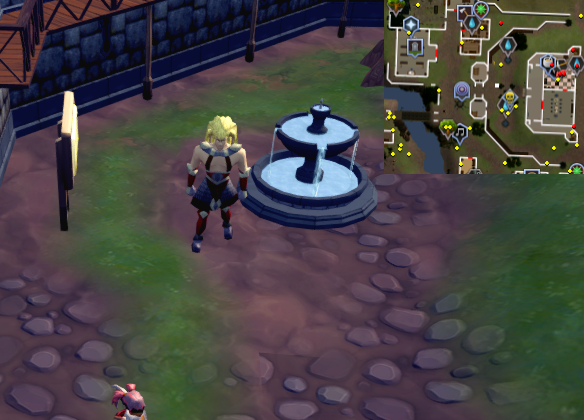
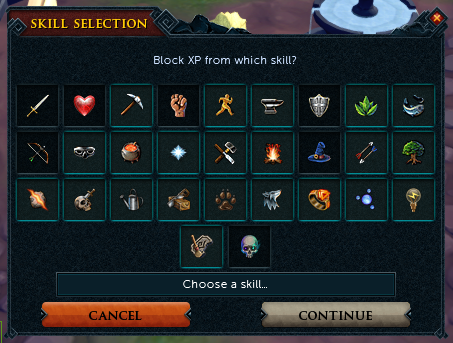
Nastroth can block XP gain in specific skills. Talk to Nastroth → Option 2: I want to Block EXP from specific skills → highlight a skill → click Block XP.
Blocked skills appear as dark/black squares. Unblocked skills appear as blue/aqua squares.
Warning: Blocking XP in Constitution only blocks reward XP.
Killing monsters will still grant Constitution XP directly.
Nastroth — Skill Resets
Nastroth can also reset the XP in a skill entirely. A few conditions apply:
- Only one skill can be reset every 6 months.
- The skill must not exceed level 10 (level 15 for Constitution) to be eligible.
- Resetting triggers a 7-day cooldown and requires an active bank PIN.